Dakota Clum
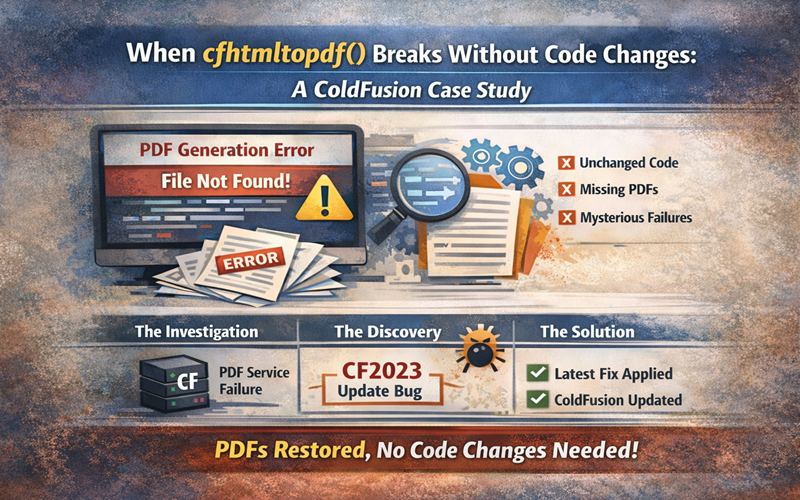
PDF generation is one of those features that just works… until it doesn’t. When it breaks, it often takes critical workflows with it: invoices won’t generate, reports won’t export, and users are left staring at errors with no obvious cause.
Recently, a customer experienced exactly this issue when their ColdFusion PDF service stopped responding entirely. What looked like a simple service failure turned out to be a subtle but common configuration problem.
This is how it was resolved and how you can avoid the same issue in the future.
Overview
A customer reported that the ColdFusion PDF Service on one of their servers had failed again and could not be restarted from the ColdFusion Administrator. Even after multiple reload attempts, the service refused to recover.
To help diagnose the issue, the customer provided a test page they had created earlier to validate PDF functionality. The test page consistently failed, confirming the issue was systemic rather than application-specific.
The Challenge
Two things made this problem tricky:
- The PDF service wouldn’t restart
When the ColdFusion Administrator itself can’t recover a service, it’s usually a sign of deeper configuration or JVM-level issues. - No recent code changes
The application hadn’t changed, which ruled out bad deployments or recent updates. That pointed the investigation toward infrastructure and service configuration instead.
At first glance, everything looked correct, but ColdFusion PDF services are especially sensitive to ports, heap sizing, and version-specific defaults.
The Solution
After reviewing the configuration, we identified two contributing issues:
1. Incorrect PDF Service Port Configuration
The PDF Service Manager was configured to use the wrong port for the installed ColdFusion
Fix:
The ColdFusion PDF Service configuration must point to the defined PDF port that the PDF is listening on which changes between versions.
That sounds simple, but it’s where many environments drift over time.
Common Scenarios
- Built-in Tomcat (default installs)
ColdFusion typically listens on an internal port such as 8500, however,ColdFusion’s PDF engine runs on a different internal port associated with the internal Jetty-server leveraged by ColdFusion. In this case, the PDF Service Manager must be configured to use the correct port which default to 8995 in ColdFusion 2023. - External web server (IIS or Apache via connector)
Even if users access the site on 80 or 443, the PDF service should not point to those ports.
It must still use the internal ColdFusion PDF port, not the public-facing web port. - Upgrades or side-by-side installs
When ColdFusion versions are upgraded (for example, installing ColdFusion 2021 alongside an older version), ports are often reassigned.
The PDF service configuration does not automatically update, which is how mismatches happen.
2. Insufficient PDF Heap Space
PDF generation is memory-intensive especially for larger or more complex documents. The existing heap allocation for the PDF service was simply too low, causing the service to fail during startup.
Fix:
The PDF service heap space was increased to a stable level appropriate for the workload.
Once both changes were applied, the PDF service restarted successfully, and the test page immediately began working as expected.
What you’re sizing
ColdFusion’s PDF Service runs in its own JVM/process, with its own heap (separate from the main CF JVM). The setting you changed is basically: “How much memory can the PDF engine use before it chokes?”
A practical way to size it (without guessing blindly)
Start with a sane baseline
If you don’t have data yet, use a baseline that won’t starve the service:
- Small PDFs / light volume (mostly text, few images): start around 512 MB – 1 GB
- Typical business PDFs (logos, tables, moderate images): start around 1 GB – 2 GB
- Heavy PDFs (large images, many pages, complex layouts) or bursts: start around 2 GB – 4 GB
If you’re on a small box, you may not have headroom for the higher ranges – heap sizing has to respect total RAM and other processes.
Validate with the worst PDF your app generates
Don’t test with a “hello world” PDF. Test with:
- largest page count you generate
- heaviest image content
- worst-case concurrency (a burst of requests)
If it survives worst-case with margin, you’re close.
Watch for the telltale symptoms that heap is too low
You’ll usually see one or more of these:
- PDF service fails to start or “hangs” on restart
- intermittent failures under load (works sometimes, fails during bursts)
- “OutOfMemoryError” or “Java heap space” in logs (when available)
- PDFs render partially or time out when documents are large
Use guardrails: don’t set it arbitrarily high
A bigger heap isn’t always better:
- Too small: frequent OOM / crash-loop.
- Too big: longer GC pauses, slower restarts, memory pressure on the host, potential swapping (which is catastrophic).
A good rule of thumb is to keep the PDF heap to a reasonable slice of system RAM, leaving room for:
- the main ColdFusion JVM
- OS + disk cache
- web server/connector processes
- monitoring/backup agents
- peak traffic spikes
Choose based on concurrency
Memory isn’t just “per PDF.” It’s “per PDF × concurrent PDFs.”
If a single heavy PDF needs ~200–400MB transiently (not crazy), then:
- 1 concurrent job might be fine at 1GB
- 5 concurrent jobs could push you into 2–4GB territory fast
The skeptical take (what many teams miss)
A lot of people size heap based on “our PDFs are usually small.” The outages happen when:
- a user uploads a huge image,
- marketing adds a high-res logo,
- someone runs an end-of-month batch,
- a burst of PDFs hits at once.
So the correct sizing target isn’t “average,” it’s worst-case burst.
The xByte Cloud Difference
This issue highlights an important reality of ColdFusion hosting:
Not all ColdFusion problems are application problems.
Many failures happen at the service, JVM, or configuration layer – areas most customers never touch and shouldn’t have to.
At xByte Cloud, we:
- Understand version-specific ColdFusion behaviors
- Monitor non-obvious services like PDF generators
- Tune JVM and heap settings proactively, not reactively
- Catch configuration drift before it becomes downtime
That’s the difference between “hosting” ColdFusion and operating it correctly.
Results
- ✅ PDF service fully restored
- ✅ Test page loading successfully
- ✅ No application code changes required
- ✅ Root cause documented to prevent recurrence
Most importantly, the customer was back up and running quickly with a clear explanation of why the issue occurred and how it was fixed.